
The nexSRM Mail Integration for Microsoft Outlook is now available through the Microsoft Marketplace. The add-in seamlessly connects Microsoft Outlook with nexSRM, enabling Public Affairs, Government Relations, and Stakeholder Management teams to manage their daily communication more efficiently and in a structured way.
Intelligently Connecting Outlook and Stakeholder Management
A significant share of communication in Public Affairs takes place via email, with political decision-makers, government authorities, industry associations, companies, and other relevant stakeholders. The new Outlook integration enables this communication to be linked directly to the corresponding stakeholders, activities, and documents in nexSRM.
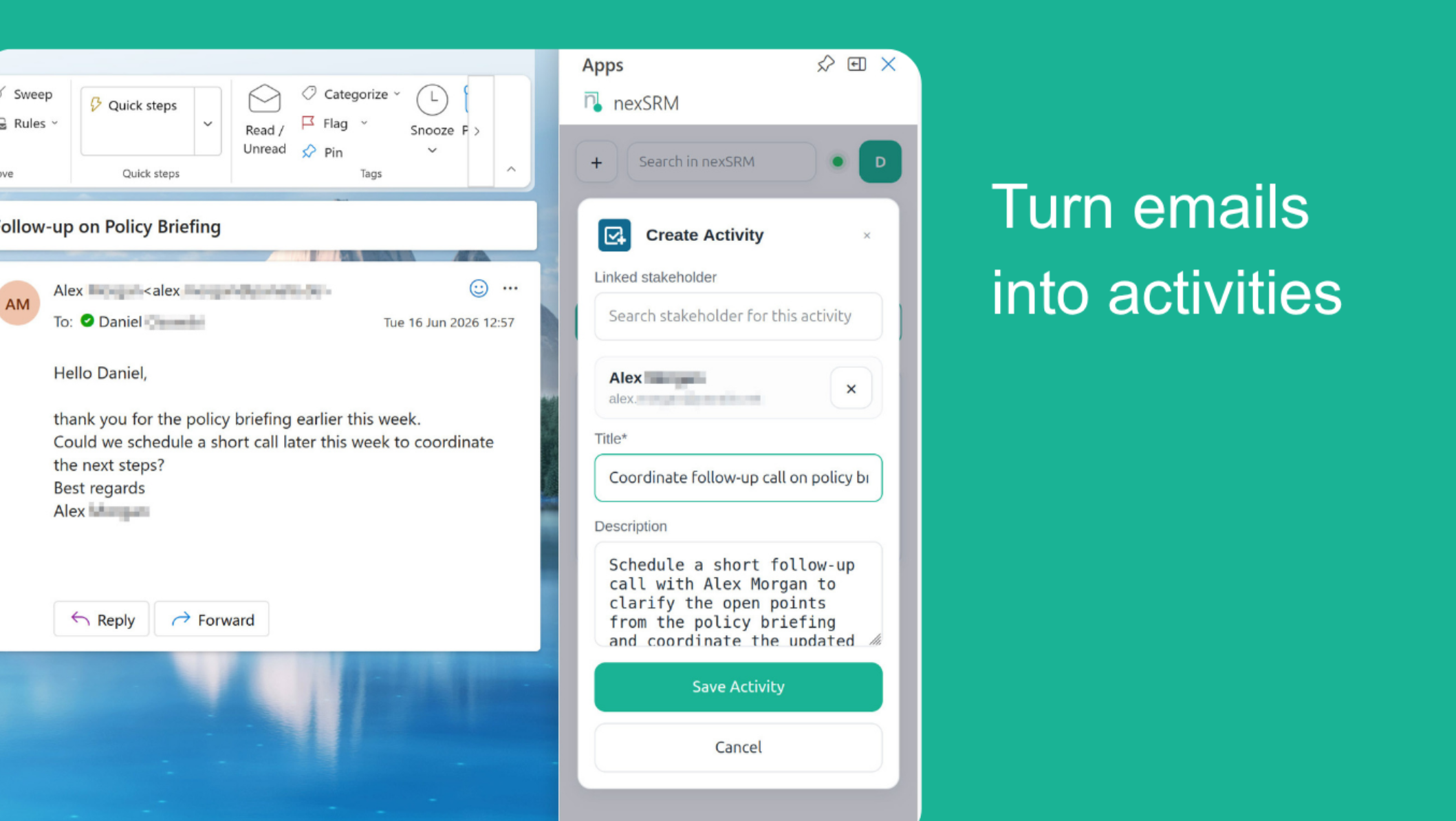
When an email is opened, the add-in automatically identifies existing stakeholders and displays the relevant information directly within Outlook. New contacts can be created as stakeholders directly from an email, while communication activities can be documented without leaving Outlook.
Key Features
The nexSRM Mail Integration offers a range of powerful features, including:
- Automatic matching of email senders with existing stakeholders
- Display of relevant stakeholder information directly within Outlook
- Creation of new stakeholders and communication activities directly from an email
- Saving selected emails to the corresponding stakeholder record
- Stakeholder search
- Search for documents in nexSRM and direct attachment to outgoing emails
This ensures that communications, documents, and activities remain centrally managed and consistently linked to the relevant stakeholder.
With its release on the Microsoft Marketplace, the nexSRM Mail Integration is now available for organizations to deploy centrally through Microsoft 365.
The integration extends nexSRM with seamless Outlook connectivity, enabling Public Affairs, Government Relations, and Stakeholder Management professionals to manage stakeholder communications, activities, and documents efficiently within their familiar working environment.